
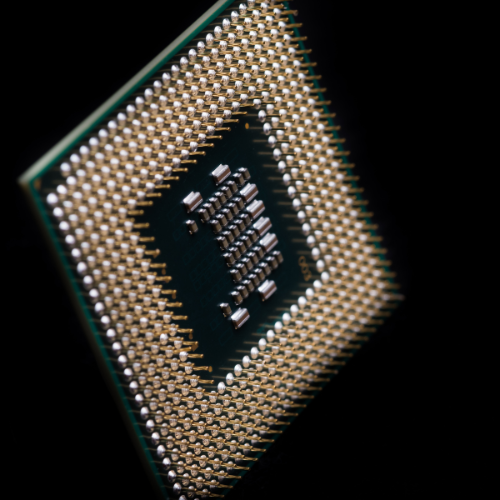
Microprocessors
16-bit Microprocessor
32-bit Microprocessor
64-bit Microprocessor
The microprocessor follows a sequence to execute the instruction: Fetch, Decode, and then Execute.
Initially, the instructions are stored in the storage memory of the computer in sequential order. The microprocessor fetches those instructions from the stored area (memory), then decodes it and executes those instructions till STOP instruction is met. Then, it sends the result in binary form to the output port. Between these processes, the register stores the temporary data and ALU (Arithmetic and Logic Unit) performs the computing functions.
A Microprocessor takes a bunch of instructions in machine language and executes them, telling the processor what it has to do. The microprocessor performs three basic things while executing the instruction:
- It performs some basic operations like addition, subtraction, multiplication, division, and some logical operations using its Arithmetic and Logical Unit (ALU). New Microprocessors also perform operations on floating-point numbers also.
- Data in microprocessors can move from one location to another.
- It has a Program Counter (PC) register that stores the address of the next instruction based on the value of the PC, Microprocessor jumps from one location to another and takes decisions.
Types of Processor:
- Complex Instruction Set Computer (CISC)
- Reduced Instruction Set Computer (RISC)
- Explicitly Parallel Instruction Computing (EPIC)
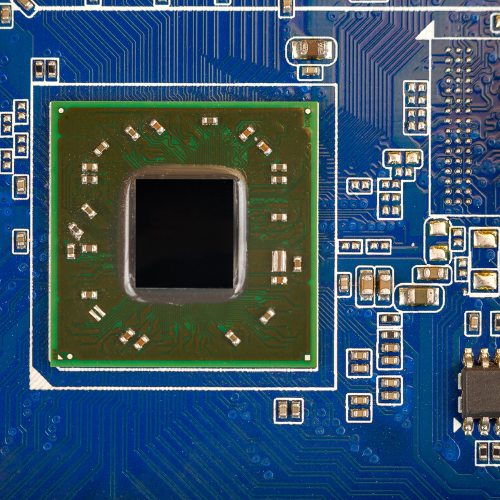
FPGA
Field Programmable Gate Arrays (FPGAs) are semiconductor devices that are based around a matrix of configurable logic blocks (CLBs) connected via programmable interconnects. FPGAs can be reprogrammed to desired application or functionality requirements after manufacturing. This feature distinguishes FPGAs from Application Specific Integrated Circuits (ASICs), which are custom manufactured for specific design tasks. Although one-time programmable (OTP) FPGAs are available, the dominant types are SRAM based which can be reprogrammed as the design evolves.
Due to their programmable nature, FPGAs are an ideal fit for many different markets. As the industry leader, Xilinx provides comprehensive solutions consisting of FPGA devices, advanced software, and configurable, ready-to-use IP cores for markets and applications such as:
- Aerospace & Defense — Radiation-tolerant FPGAs along with the intellectual property for image processing, waveform generation, and partial reconfiguration for SDRs.
- ASIC Prototyping — ASIC prototyping with FPGAs enables fast and accurate SoC system modeling and verification of embedded software
- Automotive — Automotive silicon and IP solutions for gateway and driver assistance systems, comfort, convenience, and in-vehicle infotainment. — Learn how Xilinx FPGAs enable Automotive Systems
- Broadcast & Pro AV — Adapt to changing requirements faster and lengthen product life cycles with Broadcast Targeted Design Platforms and solutions for high-end professional broadcast systems.
- Consumer Electronics — Cost-effective solutions enabling next-generation, full-featured consumer applications, such as converged handsets, digital flat panel displays, information appliances, home networking, and residential set-top boxes.
- Data Center — Designed for high-bandwidth, low-latency servers, networking, and storage applications to bring higher value into cloud deployments.
- High-Performance Computing and Data Storage — Solutions for Network Attached Storage (NAS), Storage Area Network (SAN), servers, and storage appliances.
- Industrial — Xilinx FPGAs and targeted design platforms for Industrial, Scientific and Medical (ISM) enable higher degrees of flexibility, faster time-to-market, and lower overall non-recurring engineering costs (NRE) for a wide range of applications such as industrial imaging and surveillance, industrial automation, and medical imaging equipment.
- Medical — For diagnostic, monitoring, and therapy applications, the Virtex FPGA and Spartan® FPGA families can be used to meet a range of processing, display, and I/O interface requirements.
- Security — Xilinx offers solutions that meet the evolving needs of security applications, from access control to surveillance and safety systems.
- Video & Image Processing — Xilinx FPGAs and targeted design platforms enable higher degrees of flexibility, faster time-to-market, and lower overall non-recurring engineering costs (NRE) for a wide range of video and imaging applications.
- Wired Communications — End-to-end solutions for the Reprogrammable Networking Linecard Packet Processing, Framer/MAC, serial backplanes, and more
- Wireless Communications — RF, baseband, connectivity, transport and networking solutions for wireless equipment, addressing standards such as WCDMA, HSDPA, WiMAX and others.
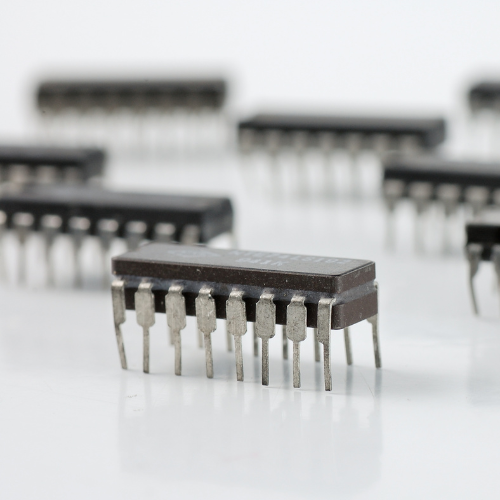
Integrated circuits
Integrated Circuits are defined as the circuit that comprises elements that are inseparable and interconnected electrically in such a way that the IC cannot be separated for the reason of commerce and construction. Myriad technologies can be used to build such a circuit. Today what we call an IC, was originally known as a monolithic integrated circuit. It is believed that Kilby created the first working IC back in 1958 and he won the Nobel Prize in Physics in 2000 for his hard work. The first buyer for this invention was the US Air Force. This article discusses an overview of the integrated circuit and its working.
Modern integrated circuits: Design and construction
For the past half-century, ICs have progressed enormously with faster speeds, greater capacity and smaller sizes.
Compared to the early days, today’s ICs are unbelievably complex, capable of holding billions of transistors and other components on a single small piece of material. The modern IC is all one piece, with individual components embedded directly into the silicon crystal, rather than simply mounted on it.
An IC relies on multiple levels of abstraction. The semiconductor wafer that makes up the IC is fragile and contains numerous intricate connections between its many layers. A combination of these wafers is known as a die.
With millions or billions of components on one single chip, it’s not possible to position and connect each component individually. Dies are too small to solder and connect to. Instead, designers use a special-purpose programming language to create small circuit elements and combine them to progressively increase the size and density of components on the chip to meet application requirements.
The ICs are «packaged» to turn the delicate and tiny die into a black chip that now forms the basis of hundreds of devices, including:
- computers
- mobile phones and smartphones
- cars and airplanes
- amplifiers
- network switches
- other electronic devices: washing machines, toasters, microwaves, televisions, etc.
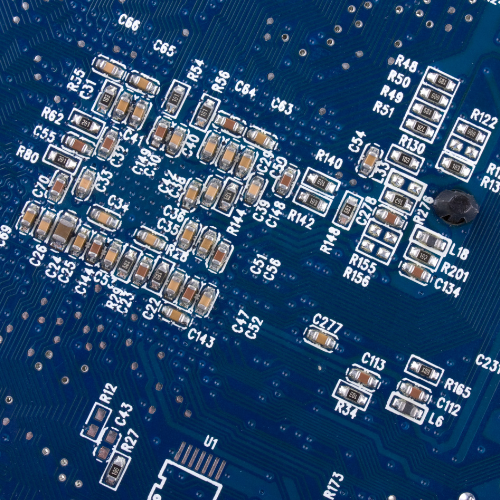
Footprint electronics
PCB footprints are critical CAD objects for your design, but they aren’t the whole story. When you’re creating a new component, you’ll need to create the corresponding schematic symbol and 3D model. Just like everything else in the electronics industry (and other areas of engineering), there are important industry standards that define PCB footprint, schematic symbol, and 3D model requirements.
ANSI Y32.2-1975 (Schematic Symbols)
According to the ANSI Y32.2-1975 standard (Reaffirmed 1989), schematic symbols need to be arranged by pin number, rather than by pin function. Some PCB CAD software will allow you to choose whether you want your symbols to comply with this standard, while others may enforce it by default.
IPC 7351 (PCB Footprints)
The IPC 7351 standard (specifically, IPC-SM-7351-B) defines a set of equations governing pad dimensions around a component. IPC 7351-compliant components will be designed to these standards. Many PCB footprint generator tools are designed to comply with this standard and will perform the necessary calculation automatically. Otherwise, you’ll have to do these calculations by hand when using standard mechanical CAD tools to create PCB footprints. Note that through-hole parts are not covered in IPC 7351.
ISO 10303-21 (3D STEP Models)
The ISO 10303-21 standard places requirements on STEP models used in 3D ECAD/MCAD software. This standard is more of a file format specification and not a set of requirements placed on how components are drawn in STEP files.
While footprint creation and manually creating design libraries take most teams dedicated resources and time, Ultra Librarian helps by making this process redundant. Working with Ultra Librarian sets up your team for success to ensure any design is going through production and validation with accurate models and footprints to work from. Register today for free!
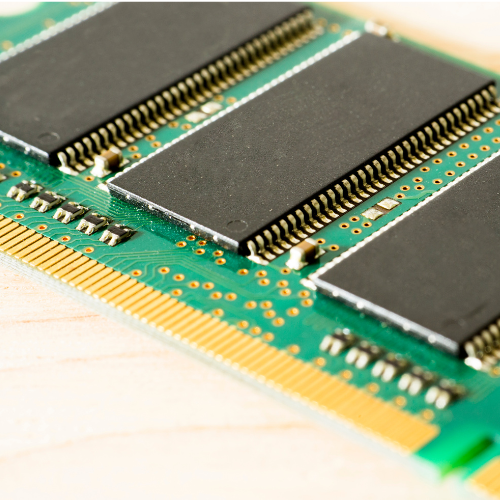
RAM memory
RAM is used to store information that needs to be used quickly. This means that opening many programs, running various processes or accessing multiple files simultaneously is likely to use a lot of RAM. Particularly complexed programs like games or design software will use most RAM.
Computer random access memory (RAM) is one of the most important components in determining your system’s performance. RAM gives applications a place to store and access data on a short-term basis. It stores the information your computer is actively using so that it can be accessed quickly.
The more programs your system is running, the more you’ll need. SSDs (solid state drives) are also important components and will help your system reach its peak performance.
The speed and performance of your system directly correlate to the amount of RAM you have installed. If your system has too little RAM, it can be slow and sluggish. But on the opposite end, you can install too much with little to no added benefit. There are ways to see if your computer needs more memory and to make sure you are buying memory that is compatible with the other components in your system. Generally, components are created to the highest standard at the time of manufacture, but with the expectation that technology will continue to change.
To prevent users from inserting incompatible memory, modules are physically different for each memory technology generation. These physical differences are standard across the memory industry. One of the reasons for industry-wide standardization in memory is that computer makers need to know the electrical parameters and physical shape of the memory that can be installed in their computers.
Nowadays, the most common type is DDR-RAM, and there are various iterations, including DDR2, DDR3, DDR4, and DDR5. DDR stands for double-data-rate and allows multiple file transfers at the same time. Current speeds are about 25 gigabytes per second for the latest DDR4-RAM.
There are also multiple types of speeds of DDR4 memory. By default, these memory sticks run at around 2500 MHz. If you want to squeeze the absolute maximum performance out of your memory, you can get higher clocked RAM. Nowadays you’ll find memory ranging from 2333 MHz up to 5000 MHz (which is interesting for gamers and GPU overclockers). The more MHz your RAM has, the faster it is!
Eventually, DDR5 will replace DDR4, as it has even further increased performance — about 50 GB/s.
There’s also VRAM (Video Random Access Memory) which sits on your graphics card and is used for loading graphical data (such as games). Video RAM is even faster than normal memory and comes in the form of GDDR5X or HBM memory with higher bandwidths.
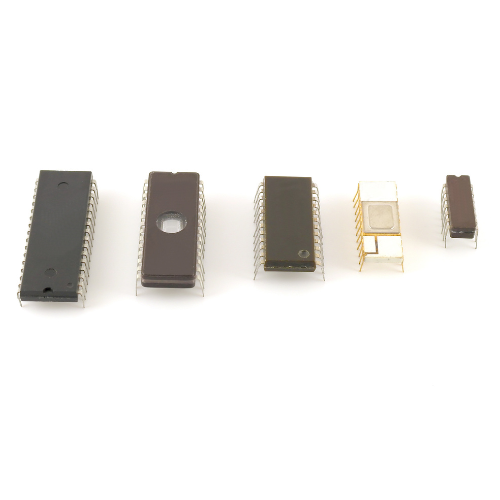
ROM memory
ROM stands for non-volatile memory in computers., which means the information is permanently stored on the chip. The memory does not depend on an electric current to save data, instead, data is written to individual cells using binary code. Non-volatile memory is used for parts of the computer that do not change, such as the initial boot-up portion of the software, or the firmware instructions that make your printer run. Turning off the computer does not have any effect on ROM. Non-volatile memory cannot be changed by users.
Read-Only Memory (ROM)
- Stores crucial information essential to operate the system, like the program essential to boot the computer.
- It is not volatile.
- Always retains its data.
- Used in embedded systems or where the programming needs no change.
- Used in calculators and peripheral devices.
- ROM is further classified into four types- MROM, PROM, EPROM, and EEPROM.
A simple example of ROM is the cartridge used in video game consoles that allows the system to run many games. The data which is stored permanently on personal computers and other electronic devices like smartphones, tablets, TV, AC, etc. is also an example of ROM.
For example, when you start your computer, the screen does not appear instantly. It takes time to appear as there are startup instructions stored in ROM which are required to start the computer during the booting process. The work of the booting process is to start the computer. It loads the operating system into the main memory (RAM) installed on your computer. The BIOS program, which is also present in the computer memory (ROM) is used by the microprocessor of the computer to start the computer during the booting process. It allows you to open the computer and connects the computer with the operating system.
ROM is also used to store Firmware, which is a software program that remains attached to the hardware or programmed on a hardware device like a keyboard, hard drive, video cards, etc. It is stored in the flash ROM of a hardware device. It provides instructions to the device to communicate and interact with other devices.
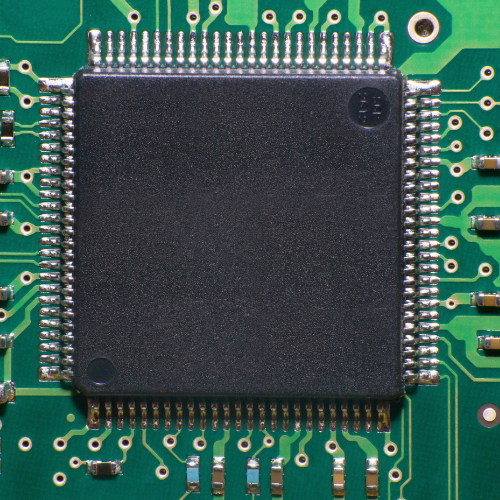
Microcontrollers
A microcontroller is a small and low-cost microcomputer, which is designed to perform the specific tasks of embedded systems like displaying microwave’s information, receiving remote signals, etc.
The general microcontroller consists of the processor, the memory (RAM, ROM, EPROM), Serial ports, peripherals (timers, counters), etc.
To understand why microcontrollers form an important part of our modern electronics world, just look at any electronic device accessible to you. Microcontrollers are at the heart of any embedded system today. So, let’s start with your car.
Suppose your car has the functionality of automatic windshield wipers. These wipers are to turn on when there are rain showers and turn off automatically once the rains end. But how does it execute a function that’s so specific and repetitive?
In such a system, a microcontroller is responsible and pre-programmed for exactly this scenario. Input from the sensors that are connected to your windshield is provided to and processed by the CPU, which then matches the signals with the program already inscribed into the memory of the microcontroller.
If the logic of the microcontroller deduces that, yes, it’s raining, it gives the command to the corresponding output (in this case the windshield wiper motor). This way the microcontroller not only processes the input but also controls the output in the system. And all these elements are built into a single chip that’s sometimes smaller than your thumbnail.
Types of Microcontroller:
Microcontrollers are divided into categories according to their memory, architecture, bits and
instruction sets. So let’s discuss the types of microcontrollers:
Bits:
8 bits microcontroller executes logic & arithmetic operations. An example of 8 bits microcontroller is Intel 8031/8051.
16 bits microcontroller executes with greater accuracy and performance in contrast to 8-bit.
An example of a 16-bit microcontroller is Intel 8096.
32 bits microcontroller is employed mainly in automatically controlled appliances such as office machines, implantable medical appliances, etc. It requires 32 — bit instructions to carry out any logical or arithmetic function.
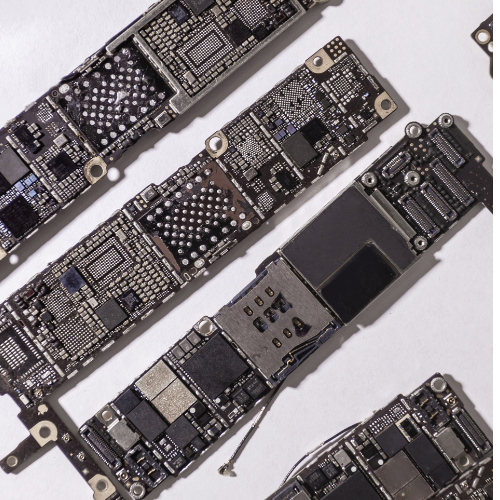
NAND chips
Micron does more than design and manufacture NAND flash memory. We innovate to solve design challenges through better engineering across a spectrum of NAND products — covering everything from mobile to embedded to data center storage applications.
NAND Flash is a type of non-volatile storage technology that does not require power to retain data. An everyday example would be a mobile phone, with the NAND Flash (or the memory chip as it’s sometimes called) being where data files such as photos, videos and music are stored on a microSD card. NAND flash chips are roughly the size of a fingernail and can retain huge amounts of data.
There are pros and cons for each type of NAND Flash. SLC holds less data but is very fast and has the highest endurance. It is however the most expensive. Other types of NAND can hold more data and are cheaper but have much lower endurance levels and are often slower. So, when deciding which NAND flash is suitable for an application it is important to carefully consider these characteristics and their impact on application performance. If you are not sure, seek specialist advice.
Probably the key differentiator between NAND types is the endurance or Programme Erase (P/E) cycles. Due to the way NAND Flash memory works, it is required that a cell is erased before it can be written to. The process of erasing and then writing a cell is called a P/E cycle. Each time a cell is erased it is damaged or worn out, so there is a lifetime for each cell. This is exacerbated by the makeup of NAND Flash. A cell can only be erased as a block and is written as a page. The size of each block and page is dictated by the design of the NAND Flash chip, but a block consists of many pages. If the information in a cell changes, it is written to a different cell and the old data is marked as ‘ready for deletion’. Then, the ‘good’ data in a block is moved elsewhere and the whole block is erased.
So, often even if data in a cell does not change it will still go through a P/E cycle. Cells are worn as equally as possible using wear-leveling technology. This whole process increases the number of P/E cycles and ensures that the NAND Flash does not fill up with redundant data. The lifetime of the device is defined as endurance and is proportional to the P/E cycles of the NAND Flash. Remember earlier about storing bits of data in each cell?
In comparing the different types of NAND the typical P/E cycles are as follows:
- SLC 60,000
- MLC 1,500 to 3,000 (lower endurance for consumer/higher for industrial)
- 3D TLC 500 to 3,000 (lower endurance for consumer/higher for industrial)
As can be seen, there is a considerable difference in NAND endurance and selecting the wrong type will have an impact on application performance and could ultimately shut down your system. Get the right type of NAND in your system by speaking to Simms. Buy once, buy right.